
 by CompTech International
Cloud accounting
Cloud Accounting Software for Businesses in Nepal
CAS360 runs in your browser, with nothing to install. Your team signs in from anywhere, and the books are backed up every night.
The short answers
- What is cloud accounting?
- Accounting software you use in a web browser, with the books kept online.
- Do I need to install anything?
- No. Open system.cas360.app and sign in.
- Is my data backed up?
- Yes, every night, plus hourly copies when the books change.
- Does it work without internet?
- No. CAS360 needs an internet connection while you work.
- Is it IRD compliant?
- Yes. On Enterprise, bills also go to IRD's CBMS.
- What does it cost?
- Free is NPR 0. Personal is NPR 10,000 a year. Business is NPR 25,000 the first year. Renewal: NPR 15,000 a year. VAT is added.
Why the cloud
What changes when your books are online
Desktop software keeps the books on one computer. CAS360 keeps them online.
Nothing to install
A new computer is ready as soon as someone signs in. No setup file, licence key or office server.
Work from the office, home or a branch
Sign in from any computer with internet. Branches enter bills in the same books.
Backed up every night
A backup every night, and a copy each hour the books change. A broken computer does not lose your books.
Automatic updates
IRD rule changes and new tools arrive without installing anything. Included in the price.
One set of books for the whole team
Each person has their own sign-in and sees only what you allow.
More than one company
One sign-in can open several companies, each with its own books.
In your browser
What you see when you sign in
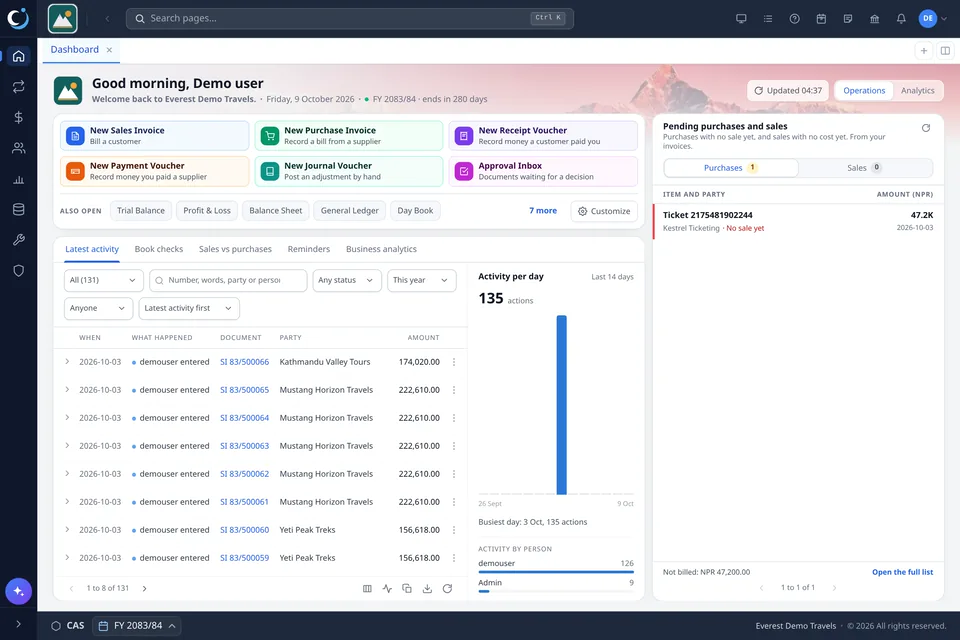
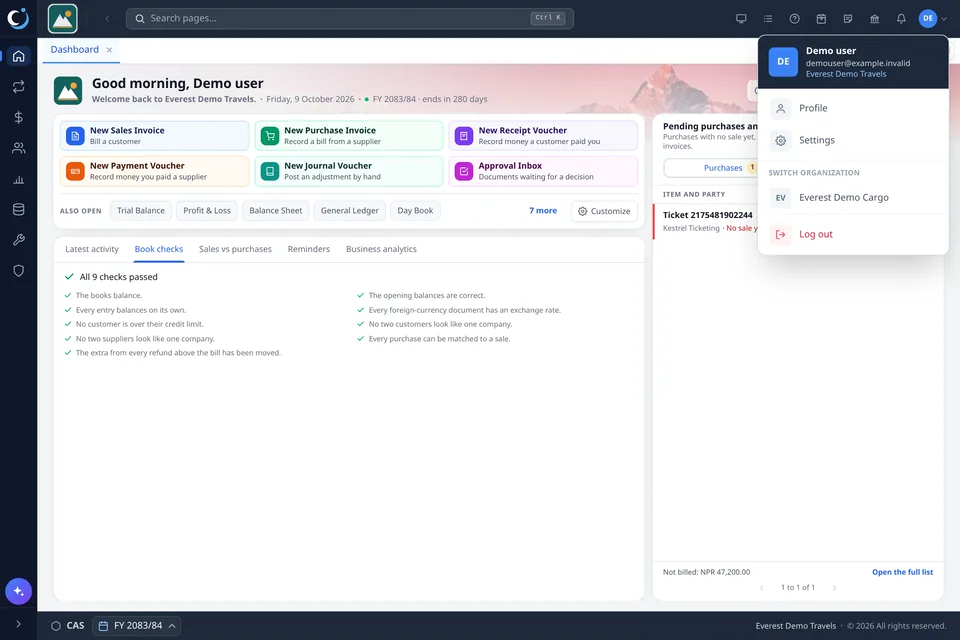
Cloud and desktop
Cloud accounting compared with desktop software
Desktop software is installed on one computer and keeps the books there. The usual differences:
| What | Desktop software | CAS360 in the cloud |
|---|---|---|
| To start | Install it on each computer | Open the browser and sign in |
| Where the books are | On one computer or an office server | Online, the same for every user |
| From home or a branch | Needs remote access or copied files | Sign in from any computer with internet |
| Backups | Someone must remember to take them | Every night, by themselves |
| New versions | Installed on each computer | Arrive by themselves |
| Without internet | Works | Does not work |
Safety
How your books are kept safe
On every plan
- Nightly backups and hourly copies
- Each person signs in with their own password
- Two-step sign-in with a phone app
- A 30-minute lock after 3 wrong passwords
- One sign-in per person at a time
- A cancelled bill is marked cancelled, never deleted
- Download your books in full whenever you want
On paid plans
- Audit trail: every change and who made it
- The user activity log
- More users, each seeing only what you allow (Business and Enterprise)
IRD
Cloud accounting that follows IRD's rules
Tax Invoice on first print, cancelled bills kept, VAT registers in IRD's format, BS dates.
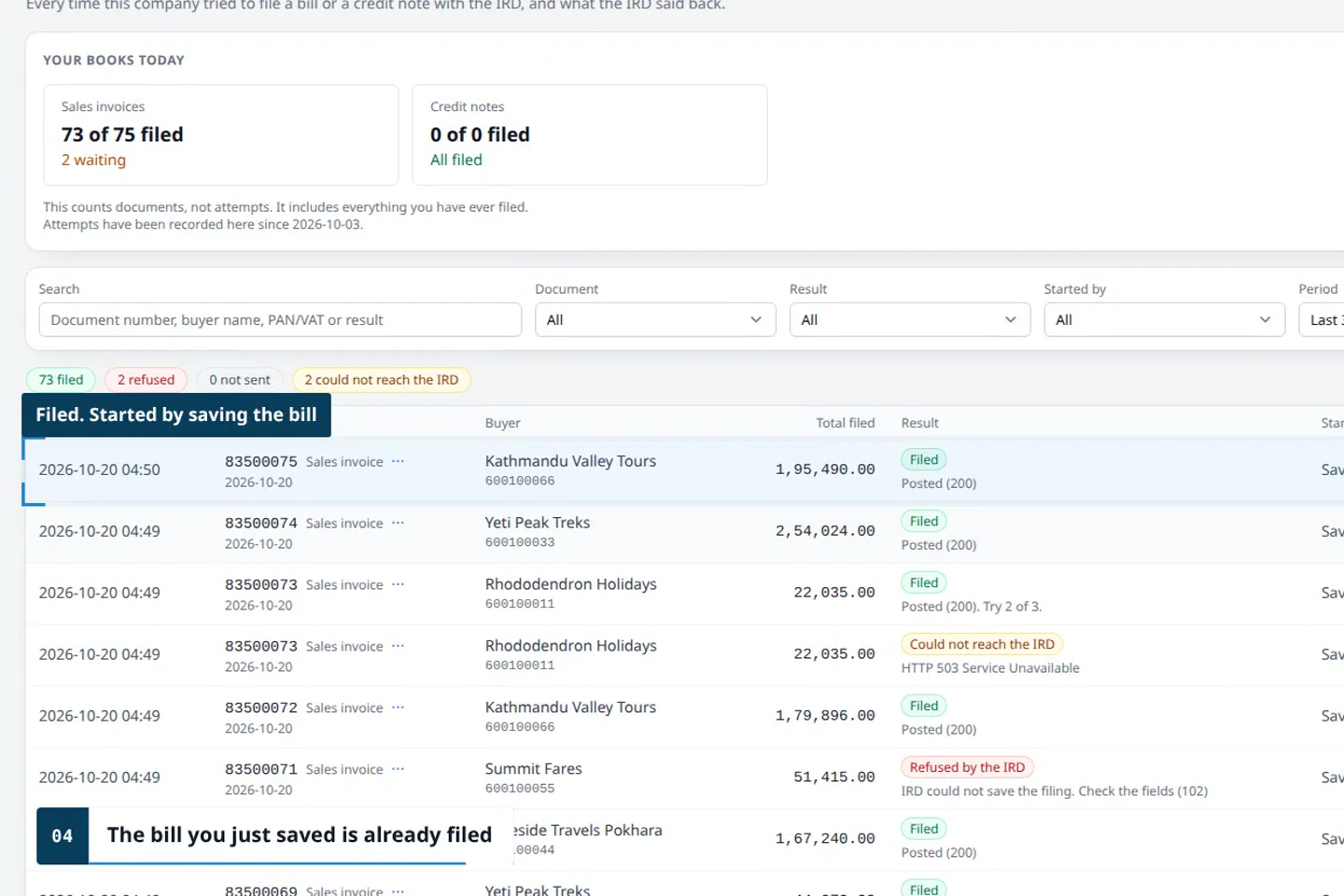
On Enterprise, each bill goes to IRD's CBMS when it is saved.
Start in five minutes
How to start
- Sign up with your name, email and a password.
- Open the link we email you within 24 hours.
- Enter your opening balances and start billing. Moving from other software? We help.
Questions
About cloud accounting with CAS360
Is there cloud accounting software in Nepal that is free?
Yes. CAS360's Free plan costs NPR 0, with no end date, for one user. See the Free plan.
Is online accounting software the same as cloud accounting software?
Yes. Both mean software used in a web browser, with the books kept online.
Can I use CAS360 from home or from another city?
Yes. Sign in at system.cas360.app from any computer.
What happens if the internet goes down?
You cannot work until it returns. Nothing saved is lost.
Can my accountant or auditor see the books?
Yes, with their own user on a multi-user plan. On Free, download the books and send them.
Can I move from desktop software such as Tally or Busy?
Yes. Start with your opening balances on the day you move. We help you set up and train your staff.
Does CAS360 work for travel agencies, tour operators and cargo companies?
Yes. CAS360 is for any business, with special tools for travel agencies, tour operators and cargo companies.